Step-by-step tutorial

Detailed tutorial to start strong with IkaBoutiki.

Follow this complete guide to configure your store, load products, sell faster, and monitor performance.

Detailed operational guide

Each step explains what to do, why to do it, and the expected result.

1. Create your account and access dashboard

Sign up, log in, and confirm you land in your store workspace. Check language, theme, and base settings.

2. Configure store information

Set store name, currency, timezone, logo, and visual preferences. This ensures consistent screens, receipts, and reports.

3. Add categories and products

Create product families, then add name, SKU, barcode, selling price, and cost. Enable stock tracking where needed.

4. Initialize and verify stock

Load initial quantities by warehouse, then verify levels in stock module. Set low-stock thresholds to prevent stockouts.

5. Register suppliers and purchases

Create suppliers, record purchases, and validate inbound stock lines. This builds a reliable cost and intake history.

6. Run sales in POS

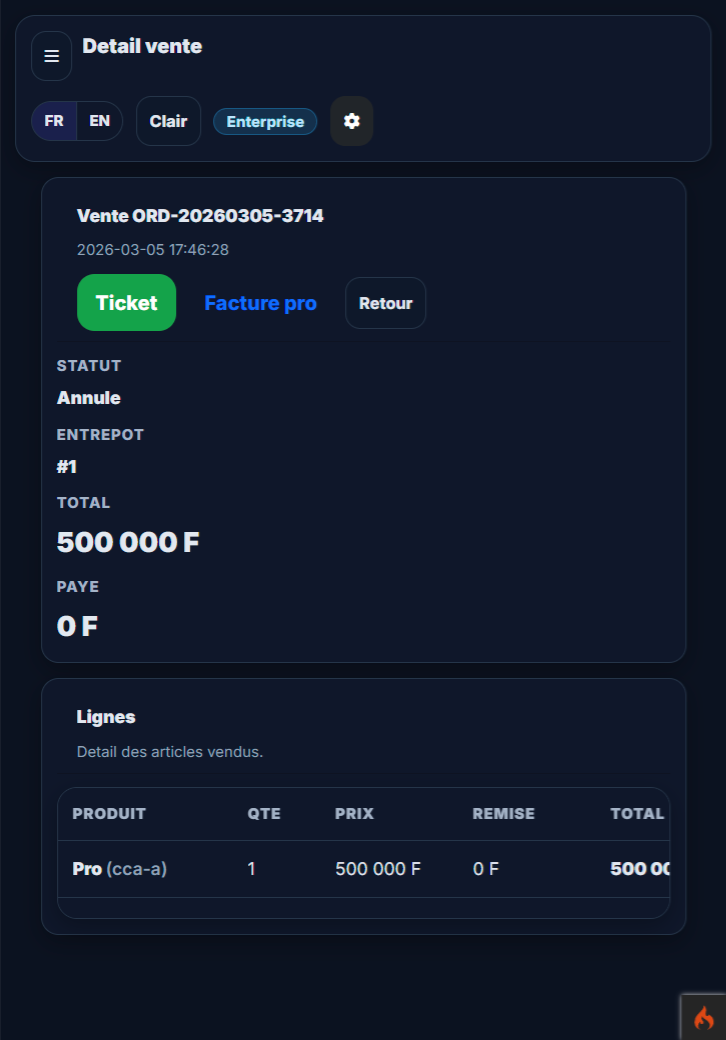
Use quick search or product cards, adjust qty/discount, finalize payment, then print receipt. Stock is deducted automatically.

7. Track sales, expenses, and reports

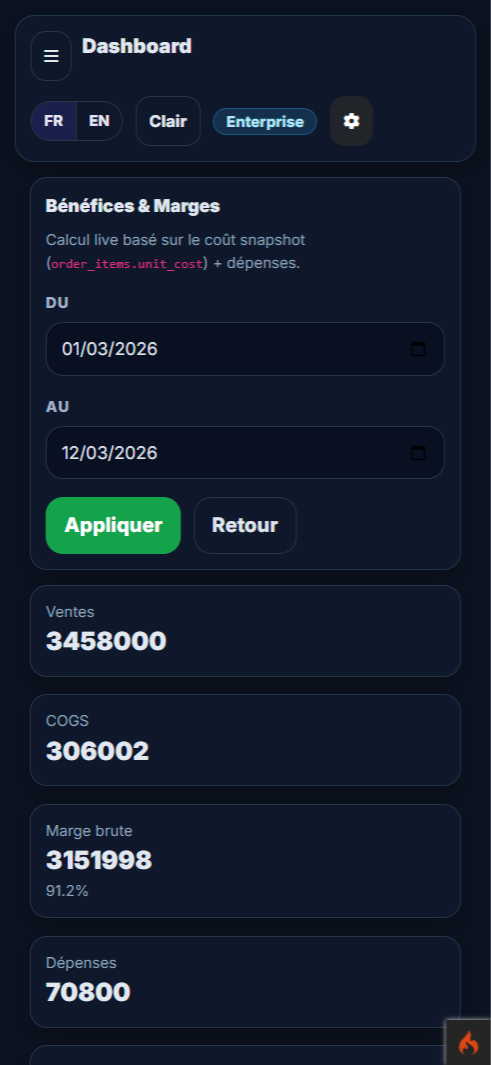
Review order history, record expenses, and use reports to monitor revenue, margin, and daily performance.

8. Structure team and security

Create users, assign roles and permissions, then test each profile. This protects data and avoids unauthorized actions.

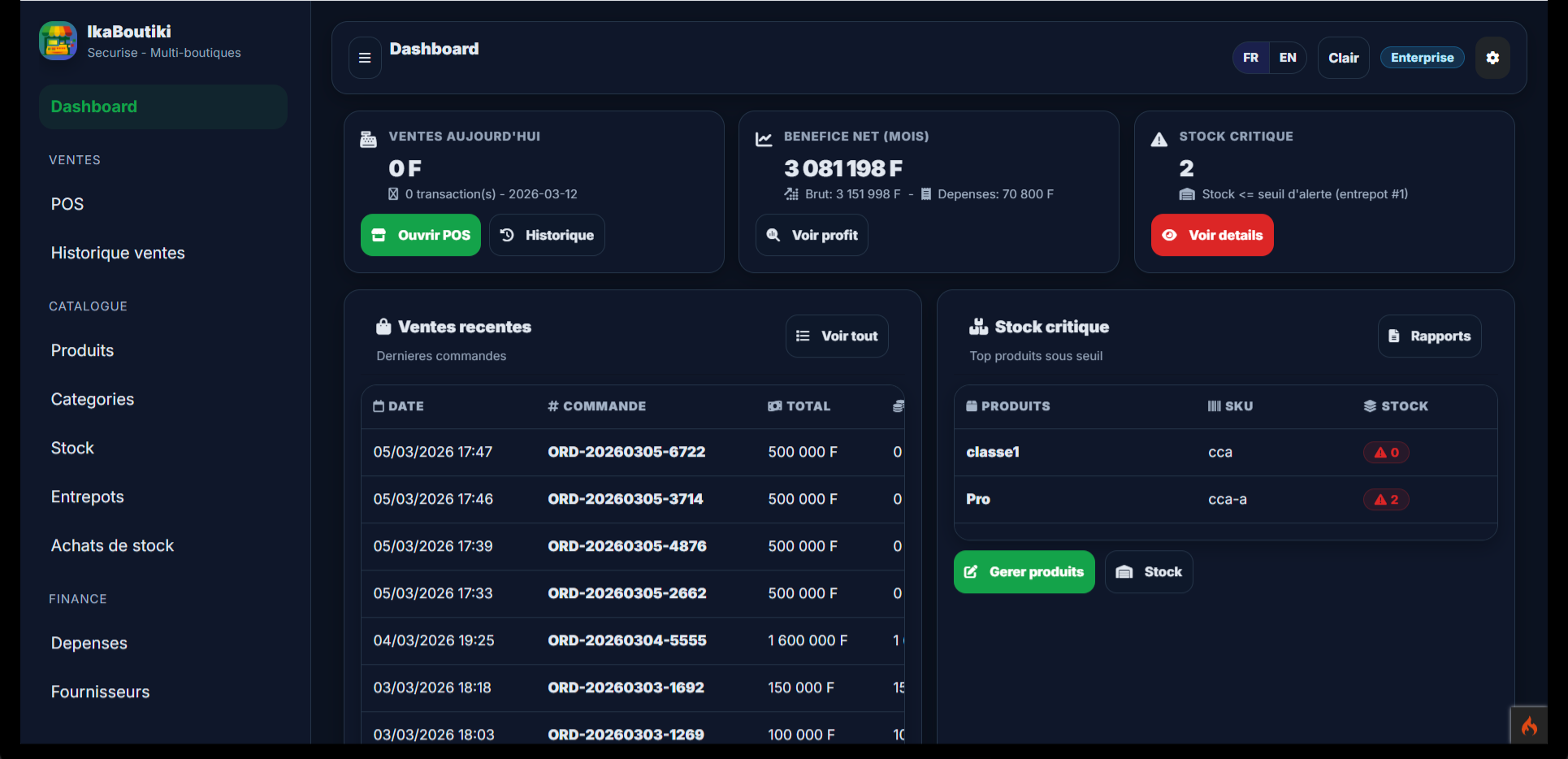
Visual screen preview

Click any screenshot to open full screen.
Detailed module tutorials

Each module below summarizes workflow, key actions, and operational watch points.

Start / Onboarding

Recommended order to launch a store without stock, sales, and permission mistakes.

Workflow
  1. Configure the store
  2. Load catalog and stock
  3. Configure users/roles
Main actions
New product
Create a sellable item.
Add stock
Initialize or correct quantities.
Add user
Create an employee account.
Attention points
  • Do not start selling before verifying financial accounts and permissions.
  • Always test one full sale flow (create + payment + print).

POS / Sales

How to sell fast, edit a sale, manage multi-line payments, cancellation and archiving.

Workflow
  1. Build the cart
  2. Finalize payment
  3. Print ticket/invoice
Main actions
Confirm sale
Validate current ticket.
Add payment line
Split payment across multiple accounts.
Edit sale
Correct lines/customers/payments according to business rules.
Attention points
  • A paid sale can be locked depending on business settings.
  • Never cancel/delete without checking stock and customer deposit impact.

Payments

Track all payments, filter by period/method/account, and monitor wallet-based payments.

Workflow
  1. Filter period
  2. Filter by method and account
  3. Check payment target
Main actions
View received payments
Daily cash-in control.
Cancel payment
Invalidate an incorrect payment.
Print payment receipt
Provide payment proof to customer.
Attention points
  • Cancelled payments stay visible in history but are excluded from totals.

Customers / Wallet / Debts

Manage customers, deposits, withdrawals, debt settlement and available wallet balances.

Workflow
  1. Create and qualify customer
  2. Record deposit/withdrawal
  3. Use wallet on debts/sales
Main actions
Add deposit
Credit customer wallet.
Cancel deposit
Fix an invalid deposit.
Pay with customer wallet
Settle sale/debt using wallet funds.
Attention points
  • A withdrawal or usage cannot exceed available balance.
  • A cancelled deposit must be excluded from KPIs.

Suppliers / Purchases

Manage supplier orders, partial receptions, payments, and pending undelivered quantities.

Workflow
  1. Create supplier order
  2. Validate partial receptions
  3. Track supplier payments
Main actions
New purchase
Create purchase document.
Receive stock
Confirm physical delivery.
Pay purchase
Record supplier settlement.
Attention points
  • An order can be paid but partially received: monitor this risk in dashboard.

Stock / Warehouses / Transfers

Track stock levels, movements, inbound/outbound operations and inter-warehouse transfers.

Workflow
  1. Select working warehouse
  2. Execute movement
  3. Print slips
Main actions
Add inbound
Increase available stock.
Add outbound
Issue stock outside POS sale.
Transfer stock
Move stock between warehouses.
Attention points
  • Non-stock-tracked products can be sold but should not pollute stock movements.

Inventory counting

Run persistent warehouse stock-takes with recalculation based on movements during counting.

Workflow
  1. Start inventory document
  2. Add product lines
  3. Close inventory
Main actions
Save draft
Persist work in progress.
Close inventory
Validate final count.
Attention points
  • A product not counted for 2 months should trigger an alert.
  • POS hiding after 6 months without inventory is configurable in settings.

Cash sessions / Closings

Open/close cash session, monitor discrepancies and period figures.

Workflow
  1. Open session
  2. Track sales/payments
  3. Close session
Main actions
Open cash session
Start cash period.
Close cash session
Stop session and freeze totals.
Attention points
  • Cancelled/archived sales must not pollute closing figures.

Quick FAQ

Can I start without initial stock?

Yes, but loading initial stock is recommended to avoid inconsistent sales from day one.

Is dark/light mode saved?

Yes. Your choice is stored locally and reused automatically on next visits.

How do I reduce team mistakes?

Use roles/permissions and test each profile to validate effective server-side access control.

Ready to launch your store?

Create your account and follow this tutorial step by step for a clean go-live.

Start now